

Let me tell you about the most frustrating period of my creative life. It was early 2025 and I had just discovered AI image generation. I was convinced this was going to revolutionize my workflow. But every “free” tool I tried either gave me ten generations before cutting me off, slapped a giant watermark on everything, or produced images that looked like a potato had been left in a microwave too long. I was spending more time hunting for free credits than actually creating.
The paradox of “free” is real in the AI art world. Free tiers are designed to get you hooked and then push you toward paid plans. Daily credit caps, watermarks, ambiguous commercial rights, and slower models are the hidden costs. But in 2026, the landscape has shifted. The gap between free and paid tiers is smaller than most people assume. The real differences are daily limits, watermarks, commercial licensing, and how well each model follows a prompt.
Here is the honest truth. You do not need to pay for Midjourney to get professional results in 2026. The free tools have gotten genuinely good. But you need to know which tool to use for which job. The right tool for realistic images is not the right tool for text in images. The right tool for commercial work is not the right tool for experimentation.
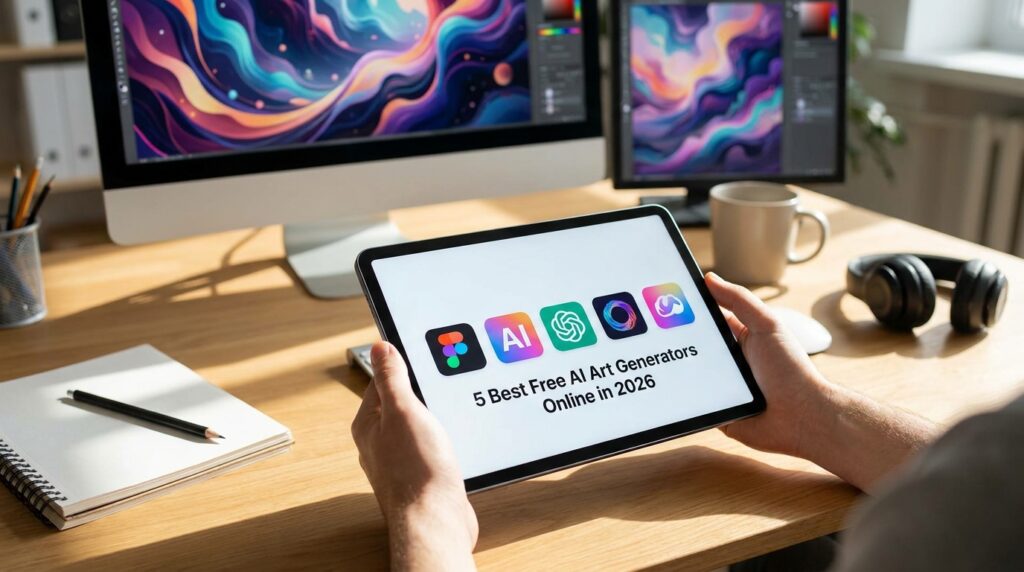
What follows is my curated list of the five best free AI art generators in 2026. I have tested them all extensively, checked the fine print on commercial rights, and pushed their free limits to the breaking point. No hype. No marketing fluff. Just the honest truth from someone who has burned through thousands of free credits.
Google Gemini – The Best Overall Free Option
If I had to pick one free AI image generator for most users, it would be Google Gemini. It has a clear free quota, low setup cost, and works directly in your browser. For 2026, Gemini is the best free AI image generator for most users because it just works without any complicated token math.
Google released Nano Banana 2, officially named Gemini 3.1 Flash Image, on February 26, 2026. The original Nano Banana models took the AI industry by storm in 2025, praised for excellent character consistency and realism. They can generate legible text in AI images and edit existing images as well as generate new ones.
The free tier is refreshingly straightforward. In the Gemini app, free users can generate about 20 images per day at resolutions up to 1K using the standard Nano Banana 2 model. The Pro model, which is the paid tier, is limited to about 2 images per day on the free plan. If you use Google AI Studio, developers get about 50 API requests per day without a credit card.
The model handles text rendering in over 10 languages and produces clean results across a wide range of styles. All outputs come with Google’s SynthID invisible watermark and C2PA content credentials. The generation time is slightly longer than some competitors, but the quality is worth the wait.
What it does best: Realistic images, character consistency, and legible text. It is the most well-rounded free option available.
The catch: You need a Google account. The Pro model is heavily restricted on the free plan. All outputs are watermarked with SynthID.
Who should use it: Anyone who wants a reliable, daily free quota without complicated token tracking. It is the best starting point for most users.
ChatGPT Images 2.0 – The Easiest Entry Point
If you are already using ChatGPT for writing or research, you might already have built-in image generation without realizing it. OpenAI launched ChatGPT Images 2.0 on April 21, 2026, powered by the gpt-image-2 model. DALL-E 3 was deprecated on May 12, 2026, so any article still referring to DALL-E 3 as the current ChatGPT image model is outdated.
The free tier runs the standard gpt-image-2 model. It offers sharp multilingual text, up to 2,000 pixels on the long edge, and a batch of up to 10 images per prompt. The free tier gives you roughly 3 to 10 images in a rolling 3-hour window. OpenAI has not published the exact number, but community feedback is consistent.
The interface is incredibly simple. You describe what you want in natural language, iterate in the same conversation, and use follow-up edits like “make the lighting warmer” without starting over. The model handles text rendering well and supports resolutions up to 2K. The strong prompt understanding means it works even when your description is messy. The images are creative and engaging, and they sometimes have good text in them.
What it does best: Ease of use, conversational editing, and strong prompt understanding. It is the most beginner-friendly option.
The catch: Very limited free quota. Only 3-10 images per 3-hour window. Thinking mode, extended reasoning, and web search during generation stay locked to Plus, Pro, and Business tiers.
Who should use it: ChatGPT users who want occasional images without learning a new interface. It is the easiest entry point if you already use ChatGPT.
Adobe Firefly – The Commercial Safety Net
Adobe Firefly is the clear pick when licensing matters. Adobe trained Firefly on licensed stock and grants explicit commercial-use rights even on the free tier, which no other tool on this list states as plainly. Since the AI models are trained only on public sources with open licenses, public domain works, and everything available in Adobe Stock, it won’t “steal” intellectual property from other artists. This makes anything you create with Adobe Firefly safe for commercial usage.
The free tier gives you 25 generative credits a month. Some sources report 2,000 free credits for generating images with its core features. The discrepancy likely reflects different features or regional variations. The output quality on product and lifestyle imagery is excellent. It is integrated directly into Adobe Creative Cloud, including Photoshop, which makes it a great option for existing Adobe users. The outputs are commercially safe and exportable to other Adobe programs.
The quality is strong on photoreal prompts, and the free monthly allowance is enough for occasional client work where you need the legal footing more than volume. The integration with Adobe’s ecosystem means you can drop generated images straight into your existing workflow.
What it does best: Commercial safety, licensing clarity, and integration with Adobe tools. It is the only tool with explicit commercial rights on the free tier.
The catch: Monthly credit caps. It struggles with photorealistic images compared to dedicated photo models.
Who should use it: Freelancers and businesses who need images they can legally use commercially. If you are creating client work, Firefly is the safest bet.
Leonardo AI – The Stylist’s Playground
Leonardo AI sits closest to Midjourney for stylized and game-art aesthetics, with a daily free token refresh and a huge library of community models. It gained popularity among game designers and concept artists for good reason.
The free plan gives you 150 tokens per day that reset daily. It offers the widest model selection of any free tool: photoreal, anime, concept art, fantasy, and product photography presets. That variety makes it the best free option for stylized work.
You can generate images in multiple styles, each with its own distinct aesthetic. The community models add even more variety, with thousands of pre-trained styles available. If you want to experiment with different artistic directions, Leonardo is the tool.
The catch is that daily tokens run out fast on the higher-quality models, and free generations are public by default. The free plan blocks LoRA training and Consistent Character Engine, the two most distinctive features. Phoenix 2.0 generations cost more tokens than older Leonardo models, eating budgets faster.
What it does best: Stylized art, game assets, and creative experimentation. It is the best free alternative to Midjourney for artistic work.
The catch: Daily token limits. Free outputs are public by default. Higher-quality models consume tokens quickly. On the free tier, Leonardo retains IP ownership and your content is public.
Who should use it: Game developers, concept artists, and anyone creating stylized or artistic images. It is the tool for when you want creative variety.
Stable Diffusion – The Unlimited Local Option
Stable Diffusion is the privacy answer. Nothing leaves your machine, there are no caps, and once it is set up the only cost is your GPU time. It is the only truly unlimited free option if you have the hardware.
Stable Diffusion is open source. You run it locally on your own computer. No daily limits. No watermarks. No accounts. No data leaving your machine. The setup is the price you pay. You need a reasonably powerful GPU and some technical patience to get it running.
The quality is excellent. Stability AI offers extensive editing tools. You can generate anything, in any style, as many times as you want. The open-source ecosystem means there are thousands of community models and plugins available. You can fine-tune the model on your own data. You have complete control.
For privacy-conscious creators, this is the gold standard. No cloud. No surveillance. No vendor lock-in.
What it does best: Unlimited generation, complete privacy, and full control. It is the only genuinely unlimited free option.
The catch: You need a capable GPU. The setup is technical. It takes time to learn the interface and workflows.
Who should use it: Privacy-conscious creators, developers, and anyone who needs unlimited generation without cloud dependency.
Honorable Mentions: The Next Tier
These tools did not make the top five but are worth knowing about.
Ideogram is the one I reach for when the image needs text inside it, like a poster or a logo mockup. Almost every other generator mangles letters. Ideogram gets them right, and the free tier is generous. It is the best option for text-heavy images.
Microsoft Designer has one of the most generous free tiers: roughly 15 fast generations per day, with slower unmetered generations after that. It runs on OpenAI image models and handles graphic-design style prompts better than raw photorealism.
Canva bundles its image generator into the wider design suite. The quality is mid-tier, but the output drops straight into a working canvas with text, layout, and brand tools. If your end goal is a finished social graphic rather than a standalone image, the integrated path saves more time.
Zhipu AI’s GLM-Image at image.z.ai is completely free, unlimited in usage, watermark-free, and outputs 2K resolution. It stands out for exceptional Chinese language capabilities and accurate rendering of multi-character Chinese text.
Craiyon offers the best basic free access with unlimited generations, though with ads and watermarks.
The Honest Truth About “Free”
Here is what nobody tells you about free AI art generators. “Free” means at least three different things in this space.
Daily or monthly credit caps are the most common limitation. Most tools give you a fixed number of generations, then make you wait or pay. Leonardo gives 150 tokens per day. Gemini gives 20 images per day. ChatGPT gives 3-10 images per 3-hour window. These are not unlimited.
Watermarks are another hidden cost. Some free tiers stamp the output, which kills it for anything client-facing. Google’s SynthID watermark is invisible but detectable. Some tools use visible watermarks that ruin the image.
Commercial rights are the biggest trap. A few free tiers explicitly allow commercial use; many leave it ambiguous. Adobe Firefly is the only tool on this list with explicit commercial rights on the free tier. Others leave it ambiguous or restrict commercial use. For Leonardo’s free tier, Leonardo retains IP ownership and your content is public.
Before you pick a tool, check these four things: daily or monthly credits, watermarks, commercial rights, and model quality. Free tiers often route you to a faster, lower-quality model variant.
How I Actually Combine Them
For a real project, I rarely use one tool. A typical workflow looks like this:
I draft concepts fast in Leonardo or ChatGPT Images 2.0. Leonardo gives me creative variety. ChatGPT gives me quick iterations with conversational editing.
I generate the final, copyright-safe version in Adobe Firefly. The commercial rights give me peace of mind for client work.
If there is text on the image, I redo that part in Ideogram. The text rendering is unmatched.
I upscale and clean up locally using basic editing tools.
That workflow costs zero dollars for most weeks, which is the whole point. Match the tool to the task and the monthly bill stays at zero more often than you would expect.
The Comparison Table
The Most Important Thing I Learned
If I could go back and tell my past self one thing, it would be this: free does not mean unlimited, but it does mean strategic.
The tools are constantly changing. Free tiers get adjusted. Models get upgraded. Pricing models shift. The specific tools you use today will not be the same tools you use next year. But your understanding of what each tool does best and how to combine them will serve you forever.
The best free AI art generator for you depends on your project, your budget, and your skill level. Gemini for reliability. ChatGPT for ease. Firefly for commercial safety. Leonardo for style. Stable Diffusion for unlimited freedom. Each has a specific strength. The best creators use all of them strategically.
Conclusion
You do not need to pay for Midjourney to get professional results in 2026. The free tools have gotten genuinely good. The gap between free and paid tiers is smaller than most people assume.
Pick Firefly for safe commercial output. Pick Ideogram for text. Pick Leonardo for style. Pick Gemini for reliability. Pick ChatGPT for ease. Keep a local Stable Diffusion around for the no-limits, no-cloud jobs.
Match the tool to the task and the monthly bill stays at zero more often than you would expect.
Go create something beautiful.
Which free AI art generator are you most excited to try? Drop me a comment or shoot me an email. I would genuinely love to hear about your results.

Other Articles
10 Best AI Image Generators to Try in 2026
ChatGPT vs Claude vs Gemini: 2026 Face-Off