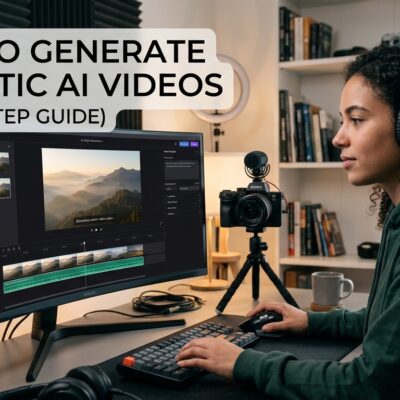





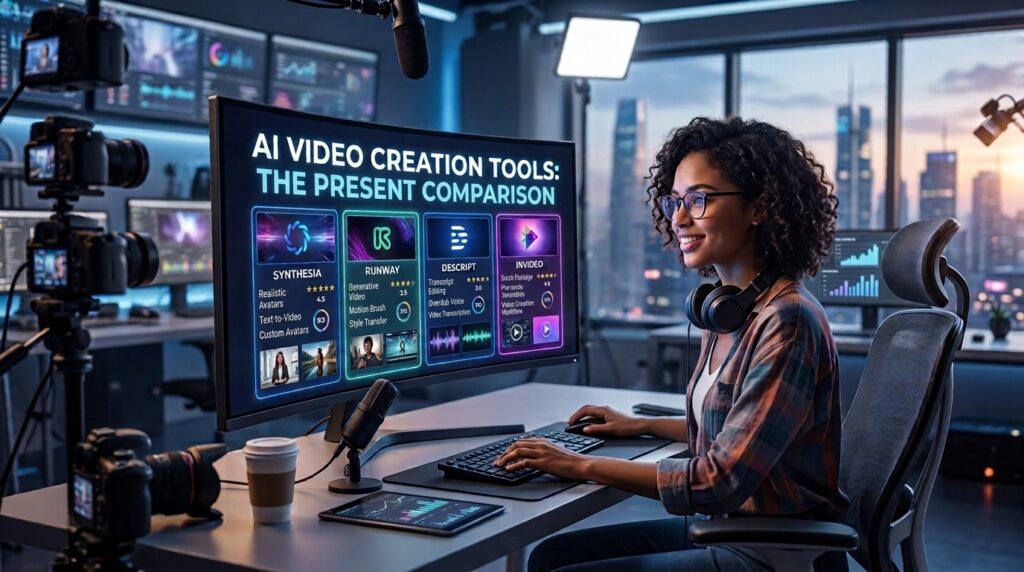
I spent three months and over three hundred dollars testing every major AI video generator on the market. Some blew my mind. Others made me want to throw my laptop out the window. Here is everything I learned.
Let me tell you about the first AI video I ever generated. It was early 2024 and I was using one of the early tools that shall remain nameless. I typed in “a dog running through a field of flowers” and waited. What I got was a horrifying blob of pixels that vaguely resembled a dog if you squinted really hard and maybe had a few drinks first. The flowers looked like melted crayons. The whole thing lasted about three seconds and I immediately closed the tab and decided AI video was not ready for prime time.
Fast forward to 2026 and I cannot believe how much has changed.
Somewhere between last year’s glitchy six second clips and this year’s near cinematic output with synced audio, these tools quietly became production ready. I have generated videos that look like they were shot on professional sets. I have created talking avatars that move and speak with frightening realism. I have produced B-roll footage that seamlessly integrates with my existing content. The technology has matured faster than anyone predicted.
Here is what makes 2026 different. The models are no longer generating video in isolation. They are generating synchronized audio, dialogue, ambient sound, and lip sync that is truly excellent rather than a tacked on addition. They are maintaining consistency across characters and scenes, solving the biggest headache that plagued earlier versions. They are accepting multiple reference images to ensure your characters look the same from shot to shot. And perhaps most importantly, they are becoming integrated into real workflows rather than existing as standalone novelties.
The competitive landscape has also shifted dramatically. Sora by OpenAI, which was previously selected as the best free AI video generator, was discontinued on March 24, 2026. OpenAI shut the Sora app down in April 2026, and API access ends September 24, 2026. If you were leaning on Sora for anything serious, it is on borrowed time. The void left by Sora has been filled by a wave of new models from Google, ByteDance, Kuaishou, and others.
The question is no longer whether AI video is good enough. It is which tool is right for your specific needs. So let me walk you through the major players I have tested, what they do well, where they fall short, and exactly who should use each one.
The Heavy Hitters: Where the Real Power Lies
Google Veo 3.1 and Omni: The Cinematic Standard
If I had to pick one tool as the safest all rounder, it would be Google’s Veo 3.1. Veo is the standard that other models are judged against. It is highly faithful to your prompt and reference pictures, and the generation of audio, including dialogue, ambient sound, and lip sync, is truly excellent. This is a massive leap forward because earlier AI video tools made you add audio separately, which never quite synced properly.
Google Gemini’s Veo 3 model is the current favorite among reviewers because it generally produces the most realistic clips, offers granular control, and delivers passable audio. Veo 3 was the first AI video tool from a major tech company to automatically create and synchronize AI audio to its AI videos. Over forty million AI videos have been made with Google Veo 3 since May. That is not a small number.
What really sets Veo apart is Google’s “Ingredients to Video” feature. You can upload several reference pictures for the model to ensure that the appearance of the character is consistent throughout the entire scene. This is currently the biggest issue with AI video creation and Google has solved it better than anyone else. If you are producing marketing content, branding materials, or anything where consistency matters, Veo is your tool.
There are trade offs. Veo has a higher price per clip and a lower maximum clip duration of six to eight seconds than some competitors. That means you are paying more for shorter clips. But the quality is so good that for professional work, it is worth every penny. You can use Veo 3 in a variety of places including Gemini, Canva, Google’s AI Studio and Flow. There is no free option, so be prepared to pay.
Google also released Omni at I/O 2026, a multimodal model that lets you use text, images and videos in your prompts. This opens up even more creative possibilities, but I have not spent enough time with it yet to give you a full review.
ByteDance Seedance 2.0: The Cinematic King
If Veo is the safe all rounder, Seedance 2.0 is the tool for people who want the absolute best looking output and do not mind chasing access. This is ByteDance’s unified multimodal audio video generation architecture supporting text, image, audio, and video inputs with up to nine reference images, three video clips, and three audio clips for generating up to fifteen second multi-shot audiovisual output.
The model achieved remarkable motion physics and cinematic language capabilities. It has become the default place where most Sora users switched after commercial use. If you are looking for the most cinematic quality output from the market, this is your choice. Seedance 2.0 creates videos ranging from fifteen seconds long with audio and up to twelve reference pictures, and can take detailed instructions on camera movement and characters better than other models.
The integration with HeyGen is particularly interesting. HeyGen is the first avatar video platform integrating Seedance 2.0 with identity-verified human faces. Every other implementation of Seedance is locked to fictional characters. With HeyGen, your real Digital Twin gets cinematic motion, dynamic camera work, and up to three avatars in a single scene. I tested this and it genuinely feels like magic. You record yourself for fifteen seconds once and then you can generate videos of yourself walking through different scenes, wearing different outfits, and interacting with other avatars.
The downsides are significant. Availability is not consistent, and pricing is yet to be sorted out. Getting access can be a challenge. But if you can get in, the output is breathtaking.
Runway Gen-4 and Gen-4.5: The Filmmaker’s Playground
Runway is the tool for people who take video creation seriously. It is an AI inclined professional’s playground. It offers image, video and audio generation, and its platform comes stacked with the tools to customize your content settings before you click generate. Runway is one of the most creative models and is capable of handling a wide range of projects.
Runway Gen-4 launched with a clear focus on consistency across characters, objects and visual style from a reference image. It delivers cinematic image generation with strong character consistency and reference controls for storyboards, concepts, and scenes. The Gen-4 model, released in early 2026, is particularly adept at producing photorealistic clips that seamlessly integrate with existing content.
Runway remains the benchmark if you are serious about camera manipulation, panning, tilting, and zooming with an accuracy that few others can replicate. The Multi-Motion Brush allows you to animate particular areas of a photograph individually, giving you the level of control that filmmakers and visual effects creators demand. If you are a filmmaker or VFX professional looking to control your shots, not just create them, Runway is your tool.
Gen-4.5, announced in early 2026, pushes things even further. It specializes in realistic motion, detailed environments, and cinematic lighting, giving creators smoother, more believable AI generated video results. The model runs on NVIDIA’s Vera Rubin platform, which represents a significant leap in compute infrastructure. Runway videos do not natively generate with sound, but you can create and layer AI audio within the Runway platform.
The free version gives you one hundred and twenty five one time credits, which is about two or three test videos. Paid plans are where the real power lies. Runway is not for beginners who just want to generate quick videos. It is for creators who want to explore all kinds of AI content creation and produce high quality, detailed results.
Kling 3.0: The Storytelling Specialist
Kling, developed by Kuaishou, has established itself in realistic human faces and storytelling. Version 3.0 of Kling boosts the resolution to 4K and includes multi-shot scenes, up to six shots per generation in sequence. Lipsyncing is good enough that dialogue is not an add on feature.
This program is good for any storytelling related work and any realistic human interaction. If you are creating narrative content with dialogue and character interactions, Kling should be on your radar. The interface is complex, and the free version is limited to non commercial usage only. Kling AI 3.0 launched with 2K and 4K image generation alongside enhanced video narrative control and multi-shot consistency with native audio.
The Avatar Tools: Putting a Face on AI Video
HeyGen: The Fastest Growing Avatar Platform
HeyGen has exploded in 2026. The company doubled to two hundred million dollars in annual recurring revenue in eight months. It has 230+ avatars in 140+ languages. The growth metrics are staggering. In the AI avatar creation landscape, HeyGen is outpacing Synthesia on customer growth by a wide margin. As of January 2026, its mid-market customer base grew one hundred and fifty two percent year over year, compared to approximately thirty percent growth for Synthesia.
What makes HeyGen different? Avatar V is its proprietary avatar model, which G2 ranks as the number one for the most realistic avatars in AI video. You record one fifteen second clip and you get full upper body movement, not just face and shoulders. You get multi-look generation so you can select different outfits, settings, and styles from one base recording without losing your identity. You get multi-angle consistency across shots with no drift and no uncanny valley. And you get long form stability so your face, voice, and presence stay locked in even on the longest videos.
Video Agent 2.0 is HeyGen’s AI video production tool. You describe the video you want and it handles the rest. What makes it different is that it shows you the complete creative blueprint before anything renders. You review the plan, refine it through conversation, and approve before it builds. Every motion element Video Agent generates, including text overlays, graphics, and layouts, is fully editable after rendering.
HeyGen recently integrated Seedance 2.0 into multiple surfaces inside the platform. You can direct your Digital Twin through cinematic scenes with full body motion and dynamic camera work. Or you can hand the brief to Video Agent and it automatically composes the right mix of Seedance cinematic shots and Avatar V scenes into a finished video.
Pricing starts at twenty nine dollars per month for the Creator plan and goes up to ninety nine dollars per month for Pro. If you are a creator, founder, marketer, or anyone whose face is part of the brand, HeyGen is worth serious consideration.
Synthesia: The Enterprise Heavyweight
Synthesia is the world’s leading AI video platform for business, helping teams create and scale professional video for communication, training, and skill development. Founded in 2017, it has established itself as the early category leader, particularly within enterprise use cases. The company raised a two hundred million dollar Series E in January 2026.
While HeyGen is growing faster in customer count, Synthesia still generates far more revenue per customer. Its average contract values are more than HeyGen’s. Synthesia has a larger headcount of seven hundred and six employees compared to HeyGen’s three hundred and thirty two.
Synthesia’s AI Playground lets you generate short AI videos, images, and motion graphics from a text prompt. Assistant is a chat based AI agent built directly into Synthesia that helps you create and refine videos from start to finish. The platform is designed for more personalized and interactive video experiences with Synthesia 3.0.
Synthesia’s strength is its maturity and enterprise features. If you are a large organization with compliance requirements and complex workflows, Synthesia is the safer bet. If you are a solo creator or small team looking for rapid innovation, HeyGen might be a better fit.
The All-in-One Platforms: Biteable vs InVideo
If you do not want to piece together different tools for different tasks, Biteable and InVideo are the two names you will keep running into. They are genuinely different tools built for different workflows.
Biteable runs on its own proprietary AI engine called AVA, targets marketing teams and businesses, and is built around branded template consistency. Its AVA engine takes a text prompt through a structured workflow where you pick a video type, provide your business info, and AVA generates a script, storyboard, and finished video with matching visuals, voiceover, and music. The auto-branding feature pulls your colors, fonts, and logo from your URL. Biteable converts articles directly into videos, which is genuinely useful for content repurposing. Entry price is fifteen dollars per month annually.
InVideo takes the opposite approach. Instead of one proprietary AI, it routes your prompts through two hundred plus models including Sora 2, Veo 3.1, Kling 3.0, Pixverse, Hailuo, and others. It targets content creators and agencies and lets you generate up to thirty minutes of video from a single text prompt. InVideo has fifty million plus creators globally. Entry price is twenty five dollars per month annually.
Here is my take after testing both. Biteable wins on ease of use and brand consistency. If you are a marketing team that needs to pump out branded videos quickly, Biteable is fantastic. InVideo wins on capability and volume. If you need to iterate through natural language and generate massive amounts of content, InVideo is ahead.
The Workflow Approach: Combining Tools for Maximum Quality
Sometimes the best tool is not one tool. The maximum control creator stack combines ElevenLabs for ultra realistic AI voice, RunwayML for generated B-roll, and CapCut for editing it all together. This is for high production value channels where you want full control over every element.
This approach takes more time and effort, but the results are noticeably better. ElevenLabs’ AI voices sound conversational and exceptionally realistic. RunwayML gives you precise control over camera movements and visual elements. CapCut ties it all together with professional editing.
I have used this stack for a documentary style project and the quality was indistinguishable from traditional production. It is more work, but for certain projects, it is absolutely worth it.
Which Tool Should You Actually Use?
Here is my honest recommendation based on what you are trying to do.
If you need the most realistic cinematic output and do not mind paying for it, Google Veo 3.1 is the standard that others are judged against. It is safe, reliable, and produces excellent results across the board.
If you want the absolute best looking video and are willing to chase access, Seedance 2.0 delivers cinematic quality that is unmatched. Just be prepared for inconsistent availability.
If you are a filmmaker or VFX professional who needs granular control, Runway Gen-4 is your playground. The camera manipulation and motion control are unparalleled.
If you want an AI avatar that looks and moves like you, HeyGen is the fastest growing platform for good reason. Record fifteen seconds once and get a year of content.
If you are an enterprise with complex compliance needs, Synthesia is the mature, established choice.
If you are a marketing team that needs quick, branded videos, Biteable is the easiest path.
If you are a content creator or agency producing high volume, InVideo’s two hundred plus model approach gives you maximum flexibility.
Conclusion
AI video creation has arrived. The technology is no longer a novelty. It is a professional tool that can save you thousands of dollars and hundreds of hours. The videos I am generating today would have been impossible just twelve months ago. The gap between AI generated and traditionally produced content is closing fast.
The first half of 2026 has been transformative for video generation AI. The industry has moved beyond simple generation toward comprehensive workflow solutions. Models are evolving from standalone generation tools into integrated workflow platforms supporting multi-reference inputs, native audio, and precise motion control across the entire content production pipeline.
My advice is simple. Pick one tool and start creating. You do not need to master everything. You just need to start somewhere. The technology is good enough now. The only thing holding you back is your own hesitation.
Go make something amazing.
Which AI video tool are you most excited to try? Drop me a comment or shoot me an email. I would genuinely love to hear about your projects.


How to Write Better AI Prompts (2026 Guide)
7 AI Side Hustles for Beginners in 2026