




Let me tell you about the moment I realized I had a problem. I was sitting in front of my computer with eleven different AI tabs open. ChatGPT for brainstorming. Claude for deep work. Perplexity for research. Cursor for coding. Notion for notes. Zapier for automation. I was spending more time switching between tools than actually getting work done. The irony was not lost on me. AI was supposed to make me more productive, but my tool sprawl was making me slower.
The productivity paradox is real. According to a recent study by Workforce Labs, workers who use AI daily are sixty four percent more productive, enjoy fifty eight percent better focus, and report eighty one percent greater job satisfaction than those who do not. But those numbers assume you are using the right tools in the right way. If you are drowning in tool fatigue, you are not getting those benefits.
The landscape in 2026 is dramatically different from even twelve months ago. We have moved beyond standalone AI assistants to AI-native systems embedded directly into the tools we already use. Microsoft Copilot lives inside Word, Excel, and Teams. Google Gemini is woven into Gmail, Docs, and Drive. Notion AI is built into the workspace you already use for project management. The shift is clear: AI is no longer a separate tool you open. It is becoming the fabric of how work gets done.
Here is the honest truth. The best AI productivity stack is not the one with the newest tool every week. It is the one you can use consistently without slowing down your workflow. The tools that earn their keep are the ones that quietly remove busywork and context switching from your everyday workflows. They do not add complexity. They subtract it.
What follows is my honest review of the AI tools that have actually moved the needle for me in 2026. I am not going to tell you every tool is amazing. Some are overhyped. Some are overpriced. Some are genuinely life-changing. Here is the truth about each one.

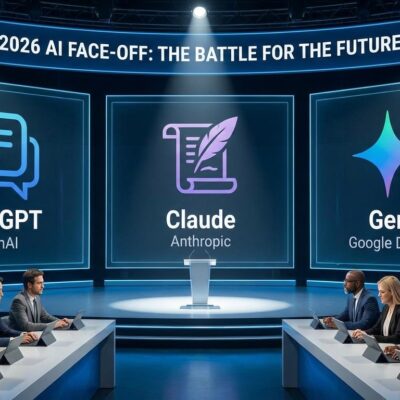
The Heavy Hitters: ChatGPT, Claude, and Gemini
ChatGPT: The Versatile Default
ChatGPT remains the foundation upon which I have built my entire AI workflow. It is the Swiss Army knife of AI tools, handling everything from brainstorming and writing to research and analysis. In 2026, ChatGPT has evolved far beyond a simple chatbot into a comprehensive reasoning engine.
The latest iteration, powered by GPT-5.6, is genuinely impressive. The model can handle text, images, audio, and video. It can analyze uploaded files including PDFs, Word documents, Excel spreadsheets, and images. It can search the web for real-time information. It can generate images. It can reason through complex problems step by step. And it can maintain context across conversations.
What makes ChatGPT indispensable for productivity is its versatility. Professionals use it to draft emails and reports, summarize PDFs, generate marketing content, analyze spreadsheets, brainstorm business ideas, learn new skills, and automate repetitive writing tasks. It is the one tool that can do almost anything, which means I do not need to switch between a dozen specialized tools for different tasks.
For teams, ChatGPT remains the safest first buy. The Plus tier is twenty dollars per month, with a cheaper Go tier at about eight dollars, and Team seats ranging from twenty five to thirty dollars per user. For a mixed team of non-specialists who want one tool that does a bit of everything, it is the clear default.
The downside? ChatGPT can feel generic. It does not have the depth of Claude or the integration of Gemini. For complex reasoning or long-form writing, I often reach for other tools.
The honest verdict: ChatGPT is the best all-purpose AI assistant. It is not the best at any single thing, but it is good at almost everything. If you only pay for one AI tool, make it this one.
Claude: The Deep Thinking Partner
Claude has carved out a reputation for handling complex reasoning and long-form content with a level of depth and nuance that sets it apart. When I need careful analysis, strategic planning, or high-quality writing, Claude is the tool I reach for.
What makes Claude different from ChatGPT is the reasoning quality. Claude excels at reviewing contracts, editing reports, analyzing research papers, writing long-form content, and strategic planning. The conversational style makes it popular among researchers and business professionals who need more than surface-level answers.
Claude’s writing quality is unmatched. According to independent benchmarks, Claude Opus 4.6 leads the writing leaderboard with a score of 31.9, significantly ahead of competitors. Claude produces the highest quality writing output for most professional use cases, especially long form content and nuanced tone matching.
Claude is also the tool for handling extremely large documents. The one million token context window means I can feed it entire research papers, contracts, or extensive conversations and it maintains perfect contextual awareness. This is invaluable for legal review, contract analysis, research synthesis, and any task that requires processing large amounts of information.
The Pro plan is twenty dollars per month, with Team running roughly twenty five to thirty dollars per user. The current lineup includes Fable 5 for frontier-class work, Opus 4.8 for deep reasoning and code, Sonnet 5 as the balanced default, and Haiku 4.5 for speed.
The downside? Claude is not as versatile as ChatGPT. It does not have the same ecosystem of integrations or the same range of capabilities. For quick tasks, I still reach for ChatGPT.
The honest verdict: Claude is the best AI tool for deep reasoning and high-quality writing. If your work involves long documents, complex analysis, or content that needs to sound human, Claude is worth every penny. For most other tasks, ChatGPT is sufficient.
Gemini: The Workspace Native
Google Gemini has become deeply integrated into Gmail, Google Docs, Sheets, Slides, and Drive. For businesses already operating within Google’s ecosystem, Gemini is the natural choice.
Popular features include email drafting, spreadsheet analysis, meeting summaries, research assistance, and AI-generated presentations. The integration with Google Workspace means the AI has access to your emails, documents, and calendar, which gives it context that standalone tools simply cannot match.
On Android, Gemini feels deeply connected to the device and the apps you already use. You can ask Gemini to interact with Keep, create items in Tasks, work with content from Docs, play music through YouTube Music, and even help with WhatsApp.
Google AI Pro is nineteen dollars and ninety nine cents per month and folds directly into Gmail, Docs, Drive, and Meet. There is no copy-paste between apps. The integration is the whole pitch.
The downside? On desktop, the experience is far less convincing. Gemini was also inconsistent with normal day-to-day questions. Sometimes, it gave me exactly the kind of direct and useful response I wanted. At other times, it exaggerated the answer, used overly dramatic wording, or turned a simple request into something that sounded unnaturally polished.
The honest verdict: Gemini is the best AI tool for Google Workspace users. If your business runs on Google, Gemini is the path of least resistance. If you are outside the Google ecosystem, it loses much of what makes it special.

The Research Tool: Perplexity
Perplexity has become my default research tool. Unlike traditional search engines that give you a list of links, Perplexity combines web search with AI-generated answers and citations. It is like having a research assistant that reads dozens of articles and gives you a summary with sources.
Instead of providing answers without context, Perplexity clearly cites sources and makes it easy to verify information. That transparency was invaluable when researching articles, comparing products, or exploring unfamiliar topics.
Perplexity has grown to over a hundred million monthly active users, and for good reason. The quality of the answers is excellent. The citations are clear and verifiable. The follow-up capabilities mean you can have a conversation around your research.
The downside? Perplexity is specialized. It is not a general-purpose assistant like ChatGPT or Claude. For everyday tasks like drafting emails or generating content, I still reach for other tools.
The honest verdict: Perplexity is the best AI research tool available. If you do regular research, it will save you hours every week. For everything else, use ChatGPT.
The Coding Tools: Claude Code, Codex, and Cursor
Claude Code: The Strongest Implementer
Claude Code has set a very high bar for AI coding tools. It is fast when it needs to be, thoughtful when the project gets messy, and quite good at understanding what I actually want instead of blindly following every prompt.
Claude Code is the strongest implementer. It reads a repository, plans, and lands multi-file changes with the least hand-holding. It feels better at reasoning through messy prompts and making smarter decisions when a project starts getting complicated.
Codex: The Strongest Reviewer
OpenAI Codex is the strongest reviewer and the most CI-native. The @codex review command, GitHub flow integration, and per-token API option make it the easiest to wire into pipelines and pull requests.
Cursor: The IDE-Native Sweet Spot
Cursor has become one of the fastest-growing AI coding tools. It is close enough to VS Code that every extension still works. The inline completion is actually fast. The agent holds its own on real, multi-step changes, not just the small jobs.
The honest verdict: For coding, I use all three. Claude Code for implementation. Codex for review. Cursor for daily editing. If you only pick one, start with Cursor.
The Automation Tools: n8n and Zapier
n8n: The Open-Source Powerhouse
n8n is the open-source alternative to Zapier that has become a favorite among developers and teams with significant automation needs. It combines a visual canvas with custom code, runs self-hosted or in the cloud, and connects to over four hundred apps and fifteen hundred plus integrations.
What makes n8n different from Zapier is the pricing. Zapier charges per operation, which can get expensive fast. n8n charges a fixed infrastructure cost. For businesses with significant automation needs, the savings are substantial.
Zapier: The Integration King
Zapier connects thousands of apps and enables users to build automated workflows. It plays a critical role in modern productivity stacks by linking email, messaging, databases, and project tools into seamless automated pipelines.
Zapier has a generous free tier, with Professional starting at nineteen dollars and ninety nine cents per month. For teams that need to connect multiple tools and automate repetitive tasks, Zapier is the safest bet.
The honest verdict: Zapier for accessibility. n8n for cost-effectiveness at scale. If you are just starting, use Zapier. If you have significant automation needs, learn n8n.
The Image Tools: What Actually Works
Nano Banana Pro: The Best Overall
Google’s Nano Banana Pro is our best overall choice because of its ability to create realistic images and legible text in images. The models took the AI industry by storm in 2025. The original model was praised for its excellent character consistency and realism.
Midjourney: The Most Creative
Midjourney is the most creative option, with extremely creative results and versatile stylistically. It remains the tool for artists and designers who prioritize visual quality above all else.
ChatGPT Images: The Most Convenient
OpenAI’s AI image tools are built directly into ChatGPT, making it a convenient choice for loyal ChatGPT users. The AI images are creative, engaging and can mimic a variety of artistic styles.
The honest verdict: Nano Banana Pro for realism and text. Midjourney for artistic quality. ChatGPT for convenience. I use all three depending on the project.

The Video Tools: What Actually Works
Veo 3.1: The Safest All-Rounder
Veo 3 is one of the most popular AI video models, and for good reason. Veo 3 was the first AI video tool from a major tech company to automatically create and synchronize AI audio to its AI videos. It produces cinematic videos with smooth, natural motions.
Seedance 2.0: The Best Cinematic Output
If you want the best-looking cinematic output and do not mind chasing access, Seedance 2.0 is the tool. It achieved remarkable motion physics and cinematic language capabilities.
Runway: The Filmmaker’s Playground
Runway is an AI-inclined professional’s playground. It is extremely creative and great for brainstorming and animating images.
The honest verdict: Veo 3.1 is the safest bet. Seedance 2.0 is the best quality. Runway is the most creative. I use Veo 3.1 for most projects.
The Tools That Quietly Earn Their Keep
Microsoft Copilot
Copilot is strongest when the center of gravity is Outlook, Teams, SharePoint, and Office. It is well embedded in workflows employees already use and its AI features make the most sense as an accelerator inside that environment.
The honest verdict: If your organization uses Microsoft 365, Copilot is a no-brainer. If not, skip it.
Notion AI
Notion AI combines documentation, databases, and task management with AI writing and knowledge retrieval. It is best for knowledge management and project organization.
The honest verdict: Notion AI is essential if you live in Notion. If not, skip it.
Grammarly
Grammarly has evolved beyond grammar correction into a full communication assistant. It helps users rewrite content, adjust tone, improve clarity, generate emails, and create business documents.
The honest verdict: Grammarly is essential for anyone who writes professionally. That is almost everyone.
Conclusion
The AI tools I have reviewed are the ones that have proven their worth in my daily work. They are the ones that have actually made me more productive, not just busier.
The honest truth is that there is no single best tool. The right tool depends on what you are trying to accomplish. ChatGPT for versatility. Claude for depth. Perplexity for research. Cursor for coding. n8n for automation. Nano Banana for images. Veo for video.
Start with one tool. Master it. Then add another as you need it. The journey from tool fatigue to genuine productivity is incremental. But the payoff is substantial.
The gap between the top and 10th-ranked models shrank from 11.9% to 5.4% in a single year. The practical upshot is that which model powers your tool matters less than whether the tool fits your workflow.
Go build something amazing.
Which AI tool has actually made you more productive? Drop me a comment or shoot me an email. I would genuinely love to hear about your results.

Other Articles

11 Best AI Tools to Boost Productivity in 2026
The Ultimate AI Tool Comparison Guide (2026)