




I have spent over two thousand dollars and countless hours testing AI tools. I have bought subscriptions I never used, fallen for hype that evaporated in weeks, and watched promising tools get acquired and ruined. But I have also discovered tools that genuinely transformed how I work. Here is everything I learned.
Let me tell you about the most expensive mistake I ever made. It was early 2025 and I had just discovered AI tools. I was like a kid in a candy store. Every week brought a new “game-changing” tool. I signed up for everything. I bought subscriptions I did not need. I spent hours learning tools that were obsolete within months. By the time I realized what was happening, I had wasted over two thousand dollars and countless hours on tools that did not move the needle.
The paradox of choice is real. When you have too many options, you make worse decisions. You get paralyzed by analysis. You chase the shiny new thing instead of mastering the tools you already have. The AI landscape in 2026 is more crowded than ever. According to the AI Leaderboard 2026, there are over three hundred top AI models competing across intelligence, speed, and price. The leading LLMs in 2026 include Claude Mythos Preview, OpenAI’s GPT-5 family, Anthropic’s Claude Opus and Sonnet, Google’s Gemini 3 Pro, xAI’s Grok 4, DeepSeek, and Z.AI‘s GLM-5.
Here is the honest truth. You do not need to use every tool. You do not need to be an expert in every platform. You need to know which tools are best for which tasks and build a workflow around them. The right tool for writing is not the right tool for research. The right tool for coding is not the right tool for image generation. The secret is not finding one tool that does everything. The secret is knowing which tool to use for each job.
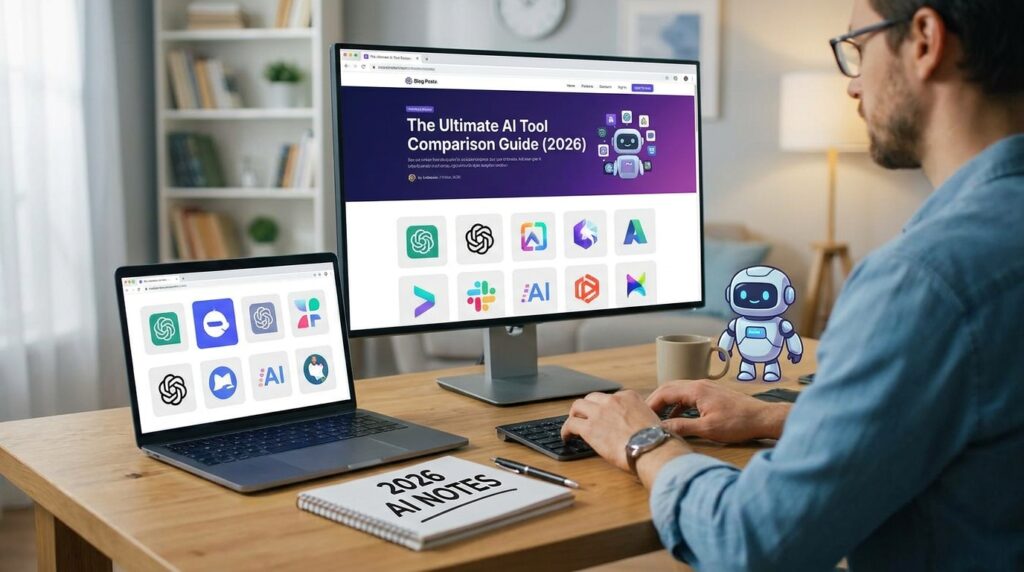
What follows is my comprehensive comparison of the best AI tools in 2026. I have organized them by category so you can find exactly what you need. I have included what each tool does best, where it falls short, and who should use it. No hype. No marketing fluff. Just the honest truth from someone who has tested them all.
General-Purpose AI Assistants
These are the tools you reach for when you need help with almost anything. They are the Swiss Army knives of the AI world.
ChatGPT: The Versatile Workhorse
ChatGPT remains the go-to tool for most people, and it is not just because of habit. As of March 2026, ChatGPT has over 769 million monthly active users. No competitor can match that ecosystem of integrations, plugins, and tools built on top of it.
In tests, ChatGPT has consistently led as the best generalist AI and for research tasks. It organizes information effectively and provides complete, well-structured responses. The paid Plus tier is twenty dollars per month, with a cheaper Go tier at about eight dollars, and Team seats ranging from twenty five to thirty dollars per user.
What it does best: General-purpose tasks, creative writing, brainstorming, fast research, and everyday assistance. It handles text, images, audio, and video. It can analyze uploaded files, search the web, and generate images.
Where it falls short: It can feel generic compared to specialized tools. For deep reasoning or long-form writing, Claude often produces better results. For coding, Claude Code and Cursor are more capable.
Who should use it: Everyone. ChatGPT is the best starting point for anyone new to AI. It is also the best all-purpose tool for professionals who need one tool that does a bit of everything.
Claude: The Deep Thinking Partner
Claude has carved out a reputation for handling complex reasoning and long-form content with a level of depth and nuance that sets it apart. In independent benchmarks, Claude has been the gold standard for coding and writing.
Claude produces the highest quality writing output for most professional use cases, especially long form content and nuanced tone matching. The one million token context window is a significant advantage for anyone who needs to process large amounts of information. You can feed it entire research papers, contracts, or extensive conversations and it maintains perfect contextual awareness.
What it does best: Complex reasoning, long-form writing, contract analysis, research synthesis, and any task that requires processing large amounts of information. Claude Code, Anthropic’s command-line agentic coding tool, is now a professional standard for developers who want AI to take multi-step autonomous coding actions.
Where it falls short: It is not as versatile as ChatGPT. It does not have the same ecosystem of integrations or the same range of capabilities. For quick tasks, ChatGPT is still faster.
Who should use it: Professionals who need deep reasoning and high-quality writing. Researchers, lawyers, writers, and anyone who works with long documents.
Gemini: The Workspace Native
Google Gemini has become deeply integrated into Gmail, Google Docs, Sheets, Slides, and Drive. For businesses already operating within Google’s ecosystem, Gemini is the natural choice. It feels less like a separate tool and more like a smarter version of software they already use.
On Android, Gemini feels deeply connected to the device and the apps you already use. You can ask Gemini to interact with Keep, create items in Tasks, work with content from Docs, play music through YouTube Music, and even help with WhatsApp. Google AI Pro is nineteen dollars and ninety nine cents per month.
What it does best: Multimodal tasks and deep integration with Google Workspace. It handles image, text, audio, and video inputs seamlessly.
Where it falls short: On desktop, the experience is less convincing. Gemini can be inconsistent with normal day-to-day questions. Sometimes it gives direct and useful responses. Other times, it exaggerates, uses overly dramatic wording, or makes simple requests sound unnaturally polished.
Who should use it: Anyone who lives in Google Workspace. If your business runs on Gmail, Docs, and Drive, Gemini is the path of least resistance.

The Verdict: Which General-Purpose AI Should You Use?
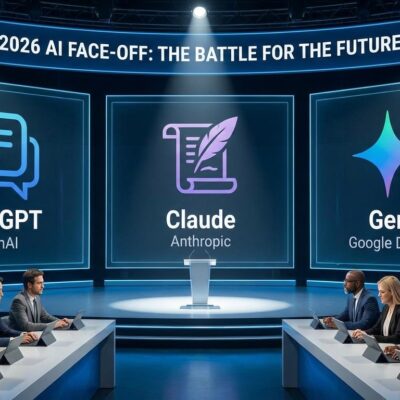
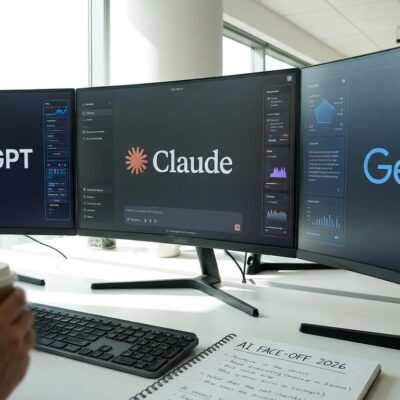
One AI is a tool. Three AIs is a system. The smartest approach is not picking one. It is using all three for what they do best.
Use ChatGPT for fast ideation, creative content, plugins, and automation. Use Claude for coding, contracts, research, and high-stakes precision work. Use Gemini for anything multimodal or deeply tied to Google tools.
A study comparing these tools found that while ChatGPT demonstrates superior contextual fluency and coherence, Gemini emphasizes multi-modal processing, and Claude focuses on ethical alignment and further context handling. They are not interchangeable. They are complementary.
Research and Fact-Finding
Perplexity: The Research Accelerator
Perplexity has grown to over a hundred million monthly active users, and for good reason. Unlike traditional search engines that give you a list of links, Perplexity combines web search with AI-generated answers and citations. It is like having a research assistant that reads dozens of articles and gives you a summary with sources.
In a recent reliability study, Perplexity AI achieved the highest overall reliability score of 85 out of 100, followed by Grok at 79 and DeepSeek at 76. ChatGPT scored 50, while Google Gemini received 41. For research tasks where accuracy matters, the difference is stark.
What it does best: Market research, fact-checking, academic research, news summaries, and industry analysis. The citations are clear and verifiable. The follow-up capabilities mean you can have a conversation around your research.
Where it falls short: It is specialized. It is not a general-purpose assistant like ChatGPT or Claude. For everyday tasks like drafting emails or generating content, other tools are better.
Who should use it: Anyone who does regular research. Students, academics, journalists, consultants, and business professionals.
The Verdict: ChatGPT vs Perplexity for Research
ChatGPT is the more versatile and balanced option. It works well in almost every situation, with solid explanations. Perplexity is more specialized for research but delivers higher reliability.
If you need quick, general research, ChatGPT is fine. If you need reliable, verifiable answers with citations, use Perplexity.
Coding Assistants
Cursor: The IDE-Native Sweet Spot
Cursor has become one of the fastest-growing AI coding tools. It is close enough to VS Code that every extension still works. The inline completion is actually fast. The agent holds its own on real, multi-step changes, not just the small jobs.
Cursor is not locked to one model. It runs Claude, GPT, and other frontier models in agent mode. The free tier is generous, and Pro starts at twenty dollars per month.
What it does best: Daily IDE work with deep AI. The Composer feature handles multi-file edits elegantly. The codebase index makes larger repositories easier to search, understand, and work through.
Where it falls short: It is an IDE plugin, not a standalone tool. For terminal-based work or large refactors, Claude Code is more capable.
Who should use it: Developers who want AI integrated into their daily workflow.
Claude Code: The Strongest Implementer
Claude Code, Anthropic’s command-line agentic coding tool, is now a professional standard for developers who want AI to take multi-step autonomous coding actions. It reads a repository, plans, and lands multi-file changes with the least hand-holding. It feels better at reasoning through messy prompts and making smarter decisions when a project starts getting complicated.
What it does best: Large refactors, migrations, and multi-file changes. It can read issues, write code, run tests, and submit PRs as a single uninterrupted workflow.
Where it falls short: It is terminal-based, which some developers find less intuitive than an IDE plugin. The learning curve is steeper than Cursor.
Who should use it: Developers who need to handle complex, multi-step coding tasks.
GitHub Copilot: The Team Standard
GitHub Copilot remains the default for teams already on GitHub. Copilot completed a full transition to token-based AI Credits billing on June 1, 2026, which fundamentally changed the cost profile for agentic users.
What it does best: Inline code completion and integration with GitHub workflows.
Where it falls short: It lacks the agentic depth of Claude Code or Cursor. It is reliable and familiar but not as powerful for complex tasks.
Who should use it: Teams already on GitHub who want a straightforward, well-integrated solution.
Which Coding Assistant Should You Use?
The hybrid pattern wins: most pros run Cursor or Copilot for editor work, Claude Code for CLI refactoring, and a chat UI for learning, with a total monthly cost around $30-60.
Cursor for daily editing. Claude Code for large refactors. Copilot for teams that need the GitHub integration.
Image Generation
Midjourney: The Artistic Heavyweight
Most expert reviews still rank Midjourney as the best overall for image quality. It produces painterly, cinematic images with strong composition, lighting, and consistency. Midjourney offers strong style control, detailed composition, and consistent visual output.
What it does best: Artistic and cinematic images. The output is simply more polished and impressive than anything else on the market. It is the favorite of artists and designers.
Where it falls short: The interface runs through Discord, which takes some getting used to. It dropped its free trial and requires a paid subscription starting at ten dollars per month.
Who should use it: Artists, designers, and anyone who prioritizes visual quality above all else.
DALL-E: The Accessibility King
DALL-E is the best for prompt accuracy and ease of use. It handles natural language well and produces reliable results. For most people today, ChatGPT and Midjourney are the top two overall choices.
What it does best: Fast, accessible image generation. If you are already a ChatGPT user, you can access DALL-E directly within the ChatGPT interface.
Where it falls short: It does not offer the same level of artistic control as Midjourney. The credit system can be confusing.
Who should use it: Content creators, marketers, and business users who need images quickly without technical complexity.
Leonardo AI: The Creator’s Control Panel
Leonardo AI sits closest to Midjourney for stylized and game-art aesthetics, with a daily free token refresh and a huge library of community models. It gained popularity among game designers and concept artists.
What it does best: Control and customization. The Character Reference tool solves the consistency problem that plagues other platforms. The 3D texture generation is genuinely useful for game development.
Where it falls short: The output quality is not quite at Midjourney’s level. It is a middle ground option.
Who should use it: Game developers, indie studios, and creators who need control, consistency, and cost effectiveness.
The Verdict: Which Image Generator Should You Use?
Pick Midjourney for artistic drama. Pick DALL-E for clean editing and ease of use. Pick Leonardo for style and game-art aesthetics.
Video Generation
Veo 3.1: The Safest Production Baseline
Veo 3.1 is still the safest production baseline, mostly because of native audio. It generates video and audio together in one pass, produces the most realistic clips overall, and offers granular control. It captures subtle lighting shifts better than most and supports native audio generation, making it ideal for immersive clips.
What it does best: Cinematic videos with native audio. Smooth motions and excellent lighting.
Where it falls short: Higher price per clip and lower maximum clip duration than some competitors.
Who should use it: Anyone who needs reliable, high-quality video with audio.
Runway Gen-4.5: The Professional’s Toolbox
Runway Gen-4.5 wins on multi-shot control and API maturity. It is an AI-inclined professional’s playground. It is extremely creative and great for brainstorming and animating images. Runway Gen-4.5 is a professional creator’s all-in-one toolbox, with professional features like motion brush.
What it does best: Camera control, multi-shot scenes, and professional-grade features.
Where it falls short: Videos do not natively generate with sound. The free version is limited.
Who should use it: Filmmakers, VFX professionals, and anyone who needs granular control over their shots.
Seedance 2.0: The Best Cinematic Quality
Seedance 2.0 achieves the best detail quality. It achieved remarkable motion physics and cinematic language capabilities. The catch is getting access in your region.
What it does best: The highest quality cinematic output. It can take detailed instructions on camera movement and characters better than other models.
Where it falls short: Availability is not consistent. Pricing is yet to be sorted out.
Who should use it: Anyone who wants the absolute best-looking video and is willing to chase access.
The Verdict: Which Video Generator Should You Use?
Veo 3.1 is the safest bet for most projects. Runway Gen-4.5 is the best for professionals who need control. Seedance 2.0 is the best quality if you can get access.
Automation
Zapier: The Integration King
Zapier connects thousands of apps and enables users to build automated workflows. It plays a critical role in modern productivity stacks by linking email, messaging, databases, and project tools into seamless automated pipelines.
What it does best: The widest integration library and the most mature ecosystem. The no-code interface means anyone on your team can build automations.
Where it falls short: Pricing can get expensive at scale. Zapier charges per operation.
Who should use it: Teams that need to connect multiple tools and automate repetitive tasks without writing code.
n8n: The Open-Source Powerhouse
n8n is the open-source alternative to Zapier that has become a favorite among developers and teams with significant automation needs. It combines a visual canvas with custom code, runs self-hosted or in the cloud, and connects to over four hundred apps and fifteen hundred plus integrations.
What it does best: Cost-effectiveness at scale. n8n charges a fixed infrastructure cost instead of per operation. It also includes an AI Agent node that lets you build AI agents directly inside your workflow.
Where it falls short: The learning curve is steeper than Zapier. You need technical expertise to set it up.
Who should use it: Developers and teams with significant automation needs who want to avoid vendor lock-in and high per-operation costs.
The Verdict: Which Automation Tool Should You Use?
Zapier for accessibility. n8n for cost-effectiveness at scale. If you are just starting, use Zapier. If you have significant automation needs, learn n8n.
The Ultimate Comparison Table
| Category | Best For | Tool | Price |
|---|---|---|---|
| General Purpose | Versatility | ChatGPT | $20/mo |
| General Purpose | Deep Reasoning | Claude | $20/mo |
| General Purpose | Google Integration | Gemini | $20/mo |
| Research | Reliability | Perplexity | $20/mo |
| Coding | Daily Editing | Cursor | $20/mo |
| Coding | Large Refactors | Claude Code | $20/mo |
| Coding | Team Standard | GitHub Copilot | $10/mo |
| Images | Artistic Quality | Midjourney | $10/mo |
| Images | Ease of Use | DALL-E | Included with ChatGPT |
| Images | Control | Leonardo AI | Free tier available |
| Video | Production Baseline | Veo 3.1 | Varies |
| Video | Professional Control | Runway Gen-4.5 | Varies |
| Video | Cinematic Quality | Seedance 2.0 | Varies |
| Automation | Accessibility | Zapier | Free tier available |
| Automation | Cost-Effectiveness | n8n | Self-hosted option |
How to Build Your AI Stack
The secret to using AI effectively is not finding one tool that does everything. It is building a stack of complementary tools that work together. Here is the stack I recommend for most professionals.
Start with ChatGPT. It is the most versatile tool and the best starting point. Use it for everyday tasks, brainstorming, and general assistance.
Add Claude for deep work. When you need careful reasoning, long-form writing, or complex analysis, switch to Claude.
Add Perplexity for research. When you need reliable, verifiable answers with citations, use Perplexity.
Add Cursor if you code. The integration with your editor makes it invaluable for daily development work.
Add automation as you need it. Start with Zapier for simple automations. Move to n8n if you need to scale.
Add image and video tools as needed. For most people, ChatGPT’s DALL-E integration is sufficient. If you need professional quality, add Midjourney or Veo.
The Most Important Thing I Learned
If I could go back and tell my past self one thing, it would be this: you do not need to master every tool. You need to master your workflow.
The tools are constantly changing. New models emerge every month. Pricing models shift. Features get added and removed. The specific tools you use today will not be the same tools you use next year. But your understanding of what each tool does best and how to combine them will serve you forever.
The gap between the top and 10th-ranked models shrank from 11.9% to 5.4% in a single year. The practical upshot is that which model powers your tool matters less than whether the tool fits your workflow. The best tool is not the one with the highest benchmark score. It is the one that actually makes you more productive.
Wrapping It Up
The AI landscape in 2026 is rich and competitive. The tools have matured faster than anyone predicted. The question is no longer whether AI can help you. It is which tools you should use and how you should combine them.
Start with one tool. Master it. Then add another as you need it. The journey from tool fatigue to genuine productivity is incremental. But the payoff is substantial.
Go build something amazing.
Which AI tool are you most excited to try? Drop me a comment or shoot me an email. I would genuinely love to hear about your results.

Other Articles

Honest AI Software Reviews: What Works in 2026
Top 10 AI Tools for Business Success in 2026